Building iOS app tweaks using GitLab Runner.
Most iOS app tweaks are hosted on GitHub, being the most widely known Git hosting platform. If you are opting for some other provider for your Git repositories, such as GitLab, then if you want to use a pipeline to build the tweaks on your own, you are out of luck unless have a Premium plan so you can get access to the macOS hosted runners. But what if there is another way of building these tweaks using the already existing free hosted runners on GitLab? This is exactly what we are going to explore today.
Theos
Theos is a cross-platform build system for creating iOS, macOS, Linux, and Windows programs. Almost all tweaks that you can sideload use Theos in order to compile the final IPA that you will use.
For example:
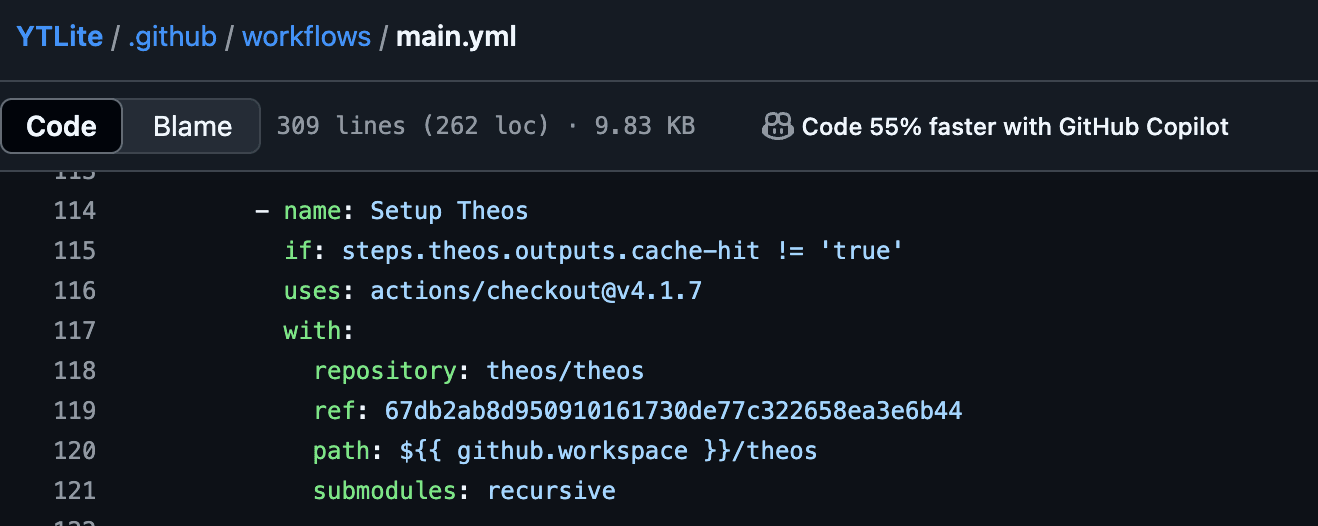
YTLite uses Theos in it's workflow.
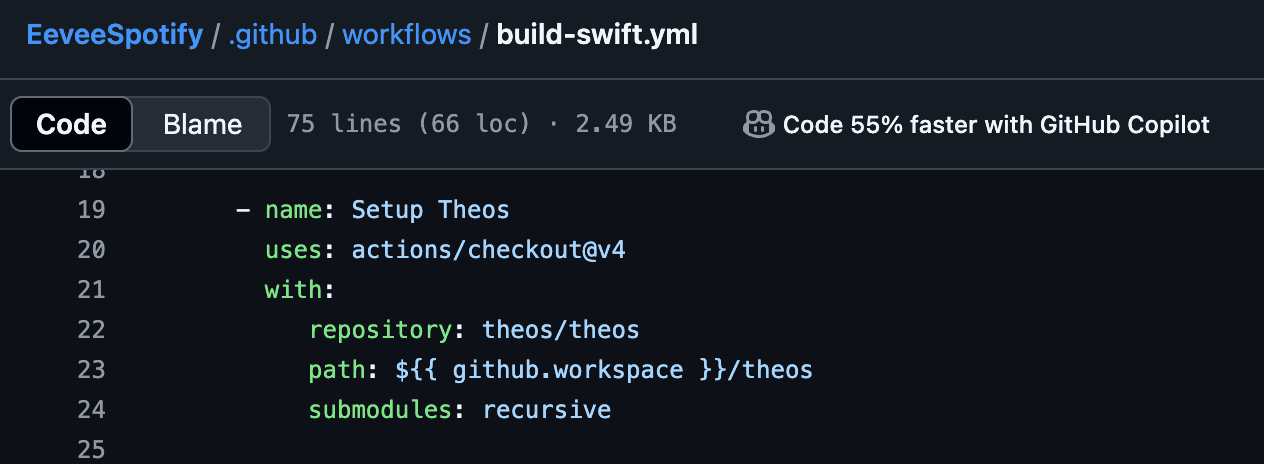
Same goes for EeveeSpotify
To make iOS builds easier to create, GitHub provides macOS shared runners. Both of the examples above use some sort of these runners (EeveeSpotify uses macos-14, while YTLite uses macos-latest). Both of them also use packages from brew. Fortunately, Theos is cross-compatible and most of the required packages from brew are already available in some form or another on Linux distributions. This got me thinking about creating a Docker image with Theos already installed and ready with the needed dependencies that can be used with GitLab Runner, so that I can easily get my tweaks running from GitLab instead of having to create a GitHub account just to compile them with Actions.
Experimenting with Theos inside Docker
Before getting started, to test this setup, I decided to use YTLite. For this to work, a decrypted YouTube IPA is needed (which due to legal reasons, I cannot provide). After acquiring one, I started building the Docker container using Debian as the base image and following Theos installation guide, only providing the required output when needed. I ended up with this setup:
FROM docker.io/library/debian:latest@sha256:bd73076dc2cd9c88f48b5b358328f24f2a4289811bd73787c031e20db9f97123

RUN DEBIAN_FRONTEND=noninteractive apt update && apt install -y \
bash \
curl \
sudo \
file \
wget \
python3 \
python3-pip \
python3-venv

# defaulting to using user theos when installing and building sdk and tweaks
RUN useradd -m -d /home/theos -s /bin/bash theos && \
echo 'theos:theos' | chpasswd && \
usermod -aG sudo theos && \
echo '%sudo ALL=(ALL) NOPASSWD:ALL' >> \
/etc/sudoers

USER theos
# installing theos with all sdks
RUN echo "y\n" | bash -c "$(curl -fsSL https://raw.githubusercontent.com/theos/theos/master/bin/install-theos)"
# installing pipx and cyan
SHELL ["/bin/bash", "-c"]
RUN pip3 install pipx --break-system-packages && \
~/.local/bin/pipx ensurepath && source ~/.bashrc && \
~/.local/bin/pipx install --force https://github.com/asdfzxcvbn/pyzule-rw/archive/main.zip

CMD bash
- A separate, non-privileged user is needed in order to install Theos.
sudois also needed. Since this user will need to do privileged tasks, I decided to setNOPASSWDfor sudoers in order to avoid unwanted input that could break the image build. cyanis needed for YTLite in order to inject the tweaks.- I also went with a full install of Theos, meaning all SDKs for Apple devices are present in the image (in order to provide a unified image for all purposes), which makes the image quite big (~1.4G compressed). Since this image will be exclusively used in GitLab Runners, this is not an issue.
After this, I created a repository with a pipeline that builds and uploads this image to my registry:
docker-build:
  # Use the official docker image.
  image: docker:cli
  stage: build
  services:
    - docker:dind
  variables:
    DOCKER_IMAGE_NAME: $CI_REGISTRY_IMAGE:$CI_COMMIT_REF_SLUG
  before_script:
    - docker login -u "$CI_REGISTRY_USER" -p "$CI_REGISTRY_PASSWORD" $CI_REGISTRY
  # All branches are tagged with $DOCKER_IMAGE_NAME (defaults to commit ref slug)
  # Default branch is also tagged with `latest`
  script:
    - docker build --pull -t "$DOCKER_IMAGE_NAME" .
    - docker push "$DOCKER_IMAGE_NAME"
    - |
      if [[ "$CI_COMMIT_BRANCH" == "$CI_DEFAULT_BRANCH" ]]; then
        docker tag "$DOCKER_IMAGE_NAME" "$CI_REGISTRY_IMAGE:latest"
        docker push "$CI_REGISTRY_IMAGE:latest"
      fi
  # Run this job in a branch where a Dockerfile exists
  rules:
    - if: $CI_COMMIT_BRANCH
      exists:
        - Dockerfile
You can find the repository at adatcu/theos-dockerized. The built image is also available at:
registry.gitlab.com/adatcu/theos-dockerized:latest
It will be updated regularly in order to make sure all dependencies are met.
Importing YTLite to GitLab
Probably the easiest part of this whole project, as the only thing you have to do is provide the GitHub URL in order to import it. Next, we have to "translate" the GitHub Actions workflow to a GitLab CI pipeline. The first thing I have noticed was that the workflow contained lots of inputs. Fortunately, GitLab Runner supports user inputs so I decided to stick with the following:
spec:
  inputs:
    ipa_url:
      default: https://404.datcuandrei.com/
      type: string
    tweak_version:
      default: 5.2b1
      type: string
    display_name:
      default: YouTube
      type: string
    bundle_id:
      default: com.google.ios.youtube
      type: string
- Since I wanted all tweaks to be injected, I didn't add the boolean conditionals for tweaks.
- The default value is
nullsince input will be taken from the user before running the pipeline. - The
ipa_urlvariable has a 404 value by default.
Next, since I have already built the Theos docker image with GitLab Runner and pushed it to the registry, that's what I'll use as the base image:
image: registry.gitlab.com/adatcu/theos-dockerized:latest
The next step was adapting the workflow to what GitLab Runner expects.
Since the whole pipeline is big, I've uploaded it to my pastebin. You can find it here.
- I decided to put the compilation stages into a single one to skip Runner queue times.
- I have also disabled
DontEatMyContentdue to compilation errors (code problems). - The output IPA will be saved as an artifact.
Now, let's test this pipeline:
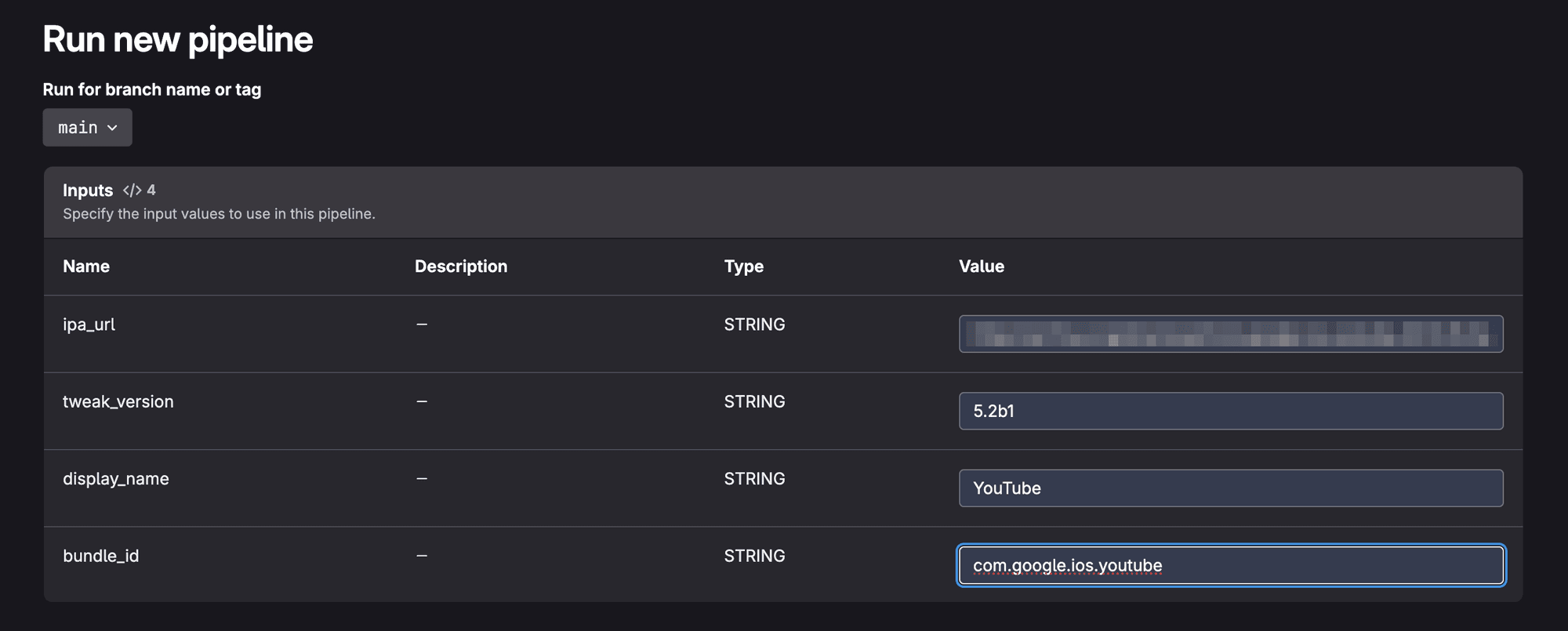
Before running the pipeline, input is required.
...after ~4 minutes:

Success! The final IPA is present in the artifacts. I have also sideloaded it on my Mac to test if it works.
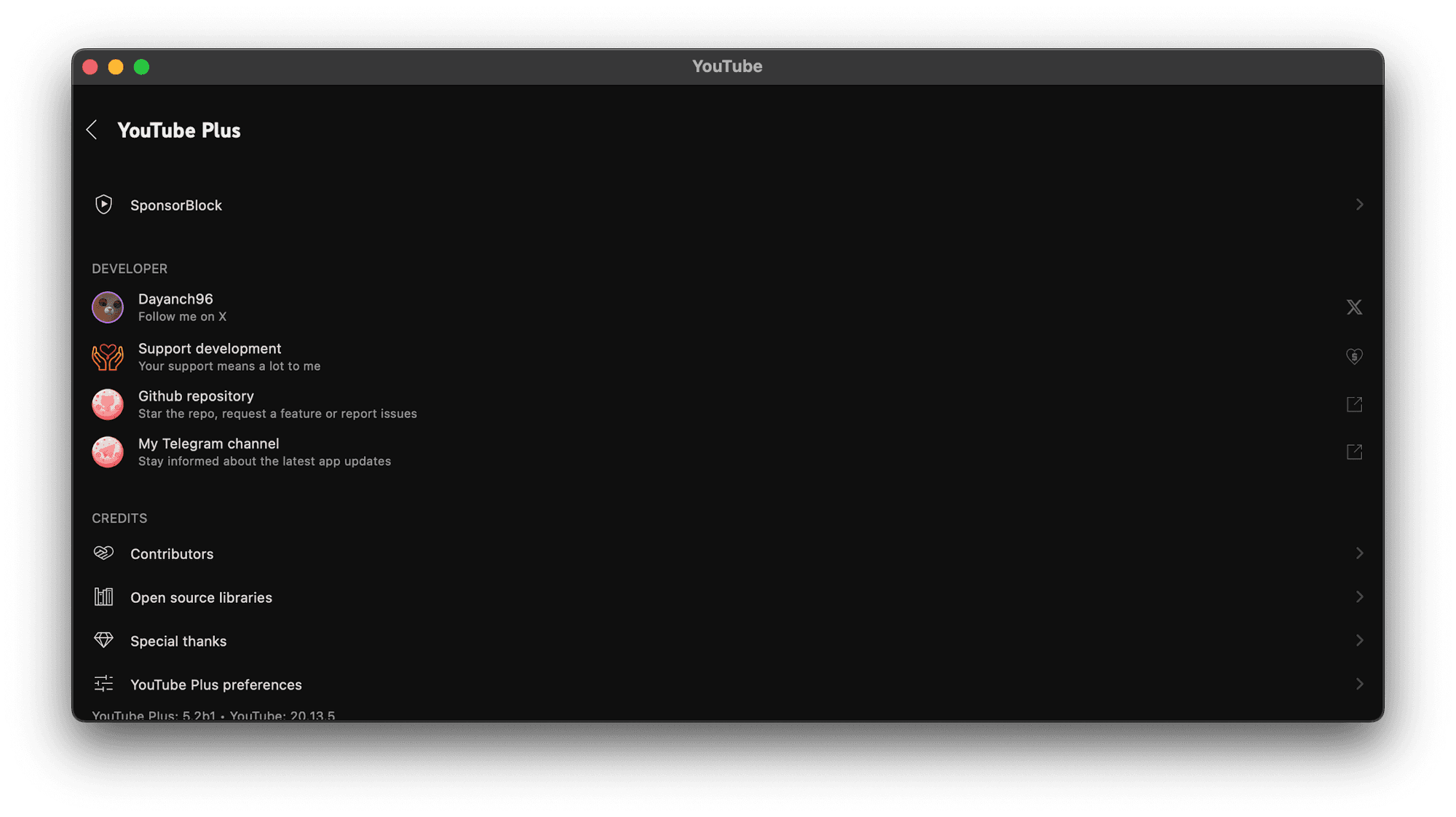
And it does without any kind of issues! Which means that our Theos Docker image, hosted on GitLab and used by GitLab Runner, works just fine for building tweaked iOS apps.
Conclusion
This proves that building tweaks for Apple devices doesn't have to be tied just to macOS. With Theos, it's entirely feasible to compile and package iOS tweaks on Linux systems, or virtually any operating system that Docker supports. While this setup was initially tailored for integration with GitLab Runner, it is by no means limited to that use case. I just went this way to preserve the original vision of simplicity and ease of use from the GitHub repository.